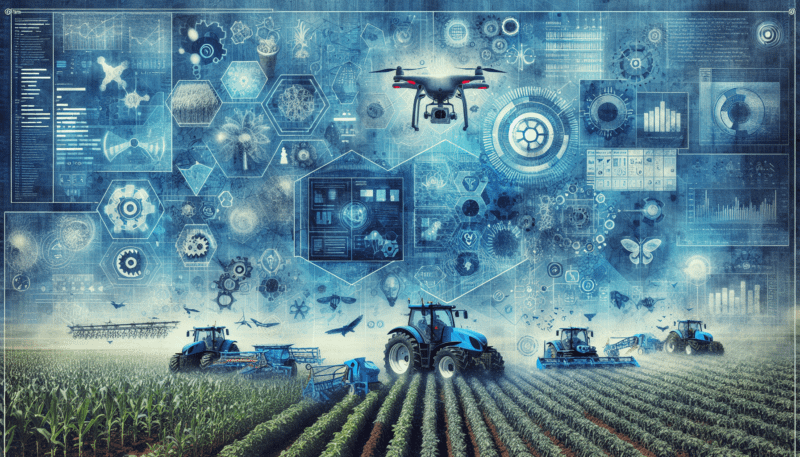
Understand agriculture business automation technology
If you feel stretched thin running daily operations, agriculture business automation technology can help you reclaim time and reduce headaches. In simple terms, it is the use of software and connected devices to handle routine tasks so you and your team do not have to.
Instead of juggling paper records, text messages, spreadsheets, and phone calls, automation tools connect these pieces into a single, repeatable process. You set the rules once, then the system takes care of the busywork in the background.
For small and mid-sized agribusinesses, this often means:
- Less manual data entry
- Fewer errors in orders and inventory
- Faster responses to customers and suppliers
- Better visibility into what is happening each day
If you are already exploring small agribusiness workflow automation, this article will help you see how those ideas fit into broader technology trends.

See why automation is gaining momentum
Before you look at specific tools, it helps to understand why agriculture business automation technology is moving from “nice to have” to “must have.”
Labor pressure and rising costs
Many farms and agribusinesses are dealing with labor shortages and higher wages. Every hour your team spends on paperwork or repetitive tasks is an hour they are not adding value in the field, plant, or warehouse.
Automation does not replace people entirely. Instead, it lets each person manage more work with less stress, because the system is supporting them with accurate, timely information.
Increasing complexity in agribusiness
You may be managing:
- Multiple fields or locations
- Different product lines or services
- Contracts with processors, distributors, or retailers
- Compliance paperwork and traceability demands
The more moving parts you have, the easier it is for details to fall through the cracks. Automation centralizes information and applies consistent rules, which helps you keep control as your business grows.
Data-driven decision making
Modern agriculture already uses data for planting, irrigation, and yield optimization. Business automation applies the same idea to office and operational workflows.
Your systems capture data once, then reuse it across purchasing, production, inventory, and sales. Over time, this gives you a clearer picture of costs, margins, and bottlenecks so you can adjust with confidence.
Map out where you can automate first
You do not need to automate everything at once. In fact, the best results usually come from starting small, then expanding. Look for repetitive processes that follow a predictable pattern and are currently handled with paper or manual spreadsheets.
Common starting points include:
- Customer and supplier onboarding
- Order intake and confirmations
- Inventory adjustments and reordering
- Scheduling for planting, harvest, or services
- Quality checks and record keeping
- Invoicing and payment follow up
If you already use some software, think about where information is getting retyped or copied between systems. Those handoffs are strong candidates for automation in agribusiness operations.
Trend 1: Cloud-based farm and agribusiness platforms
One of the most important trends in agriculture business automation technology is the shift from local, computer-based software to cloud platforms.
What cloud platforms change for you
With cloud tools, your data lives in secure data centers and you access it through a web browser or mobile app. This matters because you can:
- Log in from the office, field, home, or on the road
- Share information across locations without emailing spreadsheets
- See updates from your team in real time
- Scale to more users or sites without new servers
Most modern farm management systems, inventory tools, and CRM solutions are cloud native. This lowers your upfront hardware costs and makes it easier to keep the software updated.
Examples of tasks cloud tools can automate
While specific features vary by vendor, cloud platforms often handle:
- Work order creation when an order is approved
- Automated notifications to staff when schedules change
- Real-time inventory updates when products move in or out
- Recurring reports emailed to you on a set schedule
When you evaluate options, look for a clear explanation of how the platform handles automation, not just data storage.
Trend 2: IoT and sensor data feeding your workflows
Internet of Things, or IoT, refers to connected sensors and devices that collect data and send it over the internet. In agriculture, these can include soil moisture sensors, weather stations, GPS-equipped equipment, and storage or transport monitors.
How sensor data powers automation
Instead of entering readings by hand, your systems can use sensor data to trigger actions. For example:
- If grain bin temperature and humidity go outside a set range, the system sends an alert or opens ventilation.
- If a tank drops below a certain level, a purchase request is created or a supplier is notified.
- If a piece of equipment reports engine hours above your maintenance threshold, a work order is generated.
By tying sensors to your business workflows, you catch issues earlier and reduce the need for manual monitoring.
Benefits for small and mid-sized agribusinesses
You might think IoT is only for very large operations, but many sensor systems now target smaller businesses with simpler kits and subscription models. These can help you:
- Cut waste due to spoilage or equipment failure
- Improve traceability with automated records
- Reduce time spent on routine checks
As you consider sensors, focus on one problem at a time, such as grain quality, cold chain monitoring, or fuel usage.
Trend 3: Precision agriculture linking with back-office systems
Precision agriculture tools, such as GPS-guided equipment and variable rate technology, are common on many farms. The newer trend is connecting this field data to your business systems.
Turning field data into business intelligence
When application maps, yield data, and input usage flow into your central platform, you can:
- Compare field performance to actual costs
- Adjust pricing or contracts based on real productivity
- Plan input purchases with better accuracy
For example, data from your planter and sprayer can update inventory in your software as products are used. This reduces discrepancies and supports more accurate forecasting.
Why integration matters
If your precision agriculture tools operate in isolation, you only see part of the picture. Integration lets you tie:
- Input usage to purchasing and supplier management
- Yield data to sales and fulfillment planning
- Field schedules to labor and equipment allocation
When you talk to vendors, ask how their tools export data and which business platforms they connect to out of the box.
Trend 4: Workflow automation and low-code tools
A fast-growing area of agriculture business automation technology is workflow tools that let you design processes visually, often without deep programming skills.
What workflow tools look like in practice
Many platforms now include “if this, then that” style automation. You set up triggers, conditions, and actions. For example:
- When a new customer form is completed, create a record in your CRM, add them to your billing system, and send a welcome email.
- When a harvest lot is received, generate lot numbers, create quality check tasks, and update inventory automatically.
- When an invoice is overdue by 15 days, send a reminder and notify your team member responsible for collections.
These workflows keep tasks moving without relying on memory or sticky notes.
Low-code for custom needs
Low-code platforms offer prebuilt components that you connect with simple rules. This can be useful if:
- Off-the-shelf agribusiness software covers 80 percent of your needs, but you have unique processes for the other 20 percent.
- You want to prototype new processes quickly without a full development team.
With low-code, you can often start with templates for common use cases, then tweak them to match your actual steps and forms.
Trend 5: Mobile-first tools for field and floor staff
Automation does not help much if it only lives on a desktop in the office. A key trend is designing systems so that your field workers, drivers, and floor staff can use them easily from their phones or tablets.
Why mobile access matters
You get better data and smoother workflows when the person doing the work can interact with the system on the spot. This can include:
- Logging completed tasks with a tap
- Scanning barcodes or QR codes for traceability
- Taking photos for quality documentation
- Receiving updated schedules or instructions instantly
Instead of filling out paper forms and handing them to the office later, your team records information once, in real time.
Features to look for in mobile-friendly systems
When you review software, check:
- Whether there is a dedicated mobile app or a responsive web interface
- How well the app works with limited or spotty connectivity
- If it supports photos, barcodes, GPS tags, and offline data collection
The easier it is for your team to use the tools, the more accurate and timely your data will be.

Trend 6: AI and analytics as a practical assistant
Artificial intelligence can sound abstract, but in agribusiness automation it often shows up as specific, focused features that support clearer decisions.
Everyday AI-powered features
Some examples include:
- Demand forecasting for key products based on history and seasonality
- Suggested reorder points for inputs and supplies
- Anomaly detection that flags unusual sensor readings or cost patterns
- Routing suggestions for deliveries to reduce travel time
These capabilities analyze data that your systems already capture and surface patterns that would be hard to spot manually.
How to approach AI realistically
You do not need to adopt advanced AI everywhere to see value. Instead:
- Identify one or two decisions that would benefit from better predictions or alerts.
- Check whether your existing or potential software includes AI features focused on those areas.
- Make sure you can understand and adjust the recommendations, rather than treating them as mysterious black boxes.
Start where the benefit is clear and the risk is low, such as inventory planning or simple alerting.
Trend 7: Stronger traceability and compliance automation
Regulators, buyers, and consumers expect more visibility into how products are grown, processed, and handled. Manual record keeping can quickly become overwhelming as requirements grow.
Automating traceability
Automation supports traceability when your systems:
- Assign lot or batch numbers automatically at receiving or production
- Capture each movement of a lot through scanning or mobile forms
- Link quality tests and inspections to specific lots without manual copying
If a buyer or inspector asks for documentation, you retrieve a digital record instead of sorting through paper files.
Compliance as a byproduct of daily work
The goal is to build compliance into everyday tasks so that you are not doing extra work just to create records. When your team completes a task in the system, the data is logged automatically with:
- Who did the work
- When it was done
- Any related measurements or photos
This reduces stress around audits and customer requests, because your records are up to date by default.
Trend 8: Integration between systems instead of isolated tools
Many agribusinesses already use several tools, such as accounting software, spreadsheets, and a farm management app. The trend is to connect these so information flows smoothly instead of getting stuck in separate silos.
Why integrations matter for automation
True automation requires systems to talk to each other. If every step still requires someone to download a file or retype data, you lose much of the benefit.
Useful integrations often include:
- Farm management or production software with accounting and invoicing
- Inventory and warehouse tools with order management and transport planning
- CRM or sales tools with email marketing or customer support
When these systems share data, you get fewer errors, faster processing, and a more complete view of each customer or lot.
Practical integration options
You typically have three paths:
- Built-in integrations provided by the software vendors.
- Connector tools that link systems through configurable rules.
- Custom integrations built by a developer, usually for more complex needs.
For most small and mid-sized agribusinesses, built-in and connector-based integrations are enough to create smooth flows without heavy technical work.

Trend 9: Automation in finance and administration
While field and production automation get more attention, back-office automation may deliver value just as quickly.
Key finance and admin workflows to automate
Common candidates include:
- Purchase order creation based on approved requests or inventory thresholds
- Invoice generation from completed shipments or services
- Payment reminders and basic follow ups
- Expense approvals routed to the right manager
- Simple budgeting reports generated on a schedule
These steps are usually rules based, which makes them ideal for automation.
Benefits beyond time savings
Automating financial workflows can also improve:
- Accuracy, because amounts and line items are pulled directly from orders or contracts
- Cash flow, because invoices and reminders go out consistently
- Visibility, because you see real-time figures instead of waiting for manual updates
This helps you make timely decisions about investments, hiring, and expansion.
Trend 10: Human-centered design for easier adoption
The most advanced technology will not help if your team does not use it. A newer trend is designing agriculture business automation technology with real users in mind, not just technical features.
What human-centered tools look like
Systems built with adoption in mind typically offer:
- Clear, simple screens with only the fields needed for the task
- Step-by-step guidance through complex processes
- Contextual help, such as tooltips or short explanations
- Role-based views so each person sees what matters to them
This reduces training time and makes it more likely that staff will enter data accurately and on time.
Involving your team early
Adoption improves when you:
- Ask key staff which tasks slow them down the most
- Include them in demos and pilot tests
- Listen to their feedback on what works and what feels confusing
Automation should feel like support, not surveillance. When your team sees how it makes their work easier, they are more willing to change old habits.
Choose the right automation opportunities for your business
With so many trends and tools, it is easy to feel overwhelmed. A simple, structured approach keeps you on track.
Step 1: Identify your top three pain points
Focus on areas where:
- Mistakes are costly
- Work is repetitive
- Delays frustrate customers or partners
Write these pain points down in plain language, such as “We often ship late because orders are not entered in time” or “We spend too long chasing paperwork from the field.”
Step 2: Map the current process
For each priority area, sketch the steps from start to finish. Note:
- Who is involved
- What tools or forms they use
- Where information is duplicated or delayed
This gives you a clear target for automation instead of a vague desire to “get more efficient.”
Step 3: Decide what to automate first
Look for tasks that are:
- High volume, such as daily orders or recurring checks
- Rule-based, with clear conditions and outcomes
- Not highly customized or judgment based
Starting with something small but visible helps you build confidence and show quick results.
Step 4: Evaluate tools against real scenarios
When you talk to vendors or explore platforms, use specific examples:
- “Show me how your system handles a new customer requesting a delivery next week.”
- “Walk me through the steps from receiving a shipment to generating an invoice.”
This makes it easier to see whether a tool fits your workflows or would require major changes.
Step 5: Plan training and change management
Even simple automation changes the way people work. Plan for:
- Short, focused training sessions for each role
- Clear written steps or checklists for common tasks
- A trial period with extra support for questions
Encourage feedback so you can tweak workflows and settings as needed.
Combine trends into a practical roadmap
You do not need every new technology trend in your operation. Instead, think about how a few of them can work together.
For example, you might:
- Use mobile-friendly tools to collect field or warehouse data in real time.
- Feed that data into a cloud-based platform that automates inventory and order workflows.
- Integrate the platform with your accounting software so invoices and reports update automatically.
- Add basic AI forecasting later to fine tune purchasing and production planning.
By layering capabilities gradually, you reduce risk and give your team time to adapt.
Key takeaways for your next steps
- Agriculture business automation technology is most valuable when it frees your team from repetitive tasks and improves visibility into daily operations.
- Cloud platforms, IoT sensors, workflow automation, and mobile tools are becoming standard building blocks for efficient agribusiness operations.
- Integration between systems, not just isolated apps, makes true automation possible.
- Starting small, with clear pain points and measurable goals, lets you see benefits quickly and build support for broader changes.
If you pick one process to streamline this season, such as order handling or inventory updates, you will get a feel for how automation fits your business. From there, you can decide where to expand next in a way that matches your pace, budget, and long-term plans.
John Beluca is a Solutions Architect and founder of Procedo, with 20+ years of experience building custom CRMs and internal tools that simplify business processes.
All author posts