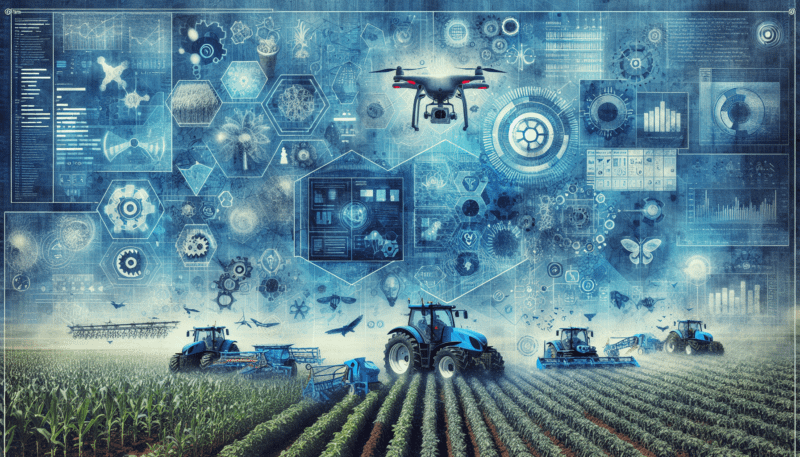
Understand agribusiness automation software
When you look at agribusiness automation software solutions, you are really looking for one thing: a reliable way to handle repetitive work so you and your team can focus on crops, livestock, and customers, not spreadsheets and paperwork.
Agribusiness automation software connects the many moving parts of your operation. Instead of juggling field data in one place, inventory in another, and invoicing in a third, these tools pull information into a shared system and run tasks for you.
You might use automation to:
- Capture field data from mobile devices and sync it to a central system
- Track inventory levels and trigger reminders when supplies are low
- Generate invoices as soon as a shipment leaves your facility
- Route work orders to the right staff automatically
- Create reports on yields, costs, and margins with a few clicks
If you are exploring automation in agribusiness operations for the first time, it helps to know what types of tools are available and how they differ. The five software categories below are a strong starting point for small and mid‑sized agribusinesses.
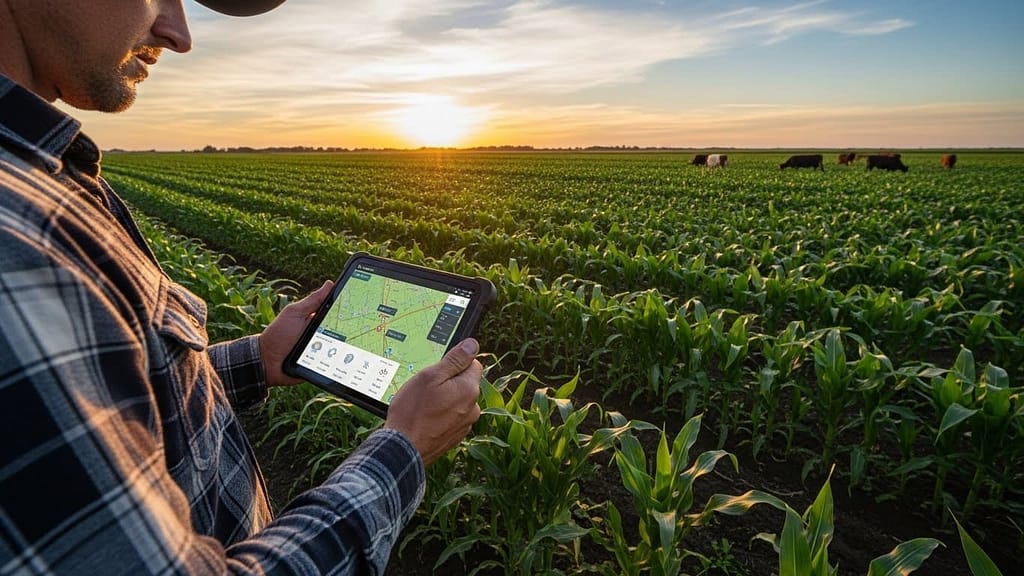
Define your automation priorities
Before you compare specific agribusiness automation software solutions, it is worth spending a few minutes to clarify what you really need. The goal is not to buy the biggest system. It is to match the right tool to your current size and workflow.
Ask yourself:
- Which tasks slow you down the most today
- Where do you see the most manual data entry or duplicated effort
- Which errors cost you time or money, such as incorrect orders or missed invoices
- Where do you lack visibility, such as inventory, job status, or field performance
You can group most needs into a few buckets:
- Operations and workflow automation
- Production and field or livestock data automation
- Inventory, orders, and customer management
- Financial and compliance reporting
Keep these priorities in mind as you review the top 5 categories of software below. In many cases, starting small and building into more advanced small agribusiness workflow automation over time is the most practical path.
1. Farm and ranch management platforms
Farm and ranch management platforms sit at the center of many agribusiness automation strategies. They bring together field activities, inputs, labor, and yields so you can see how the business performs over a season, not just day to day.
What these platforms typically automate
Most farm and ranch management tools focus on:
- Field records and activity logs
- Crop planning and rotation history
- Input usage such as fertilizer, seed, and chemicals
- Labor and equipment usage
- Harvest tracking and yield analysis
Many platforms let you set up workflows so that when a task is logged, it triggers the next step automatically. For example, once a spraying event is recorded on a field, the system can:
- Update inventory levels for chemicals
- Add costs to that field or crop
- Create a record you can later use for regulatory reporting
How they help small and mid‑sized agribusinesses
If you run a crop farm, specialty operation, or mixed farm and business, these platforms can:
- Replace paper field notebooks with mobile apps
- Consolidate data from multiple locations in one dashboard
- Create easy‑to‑share reports for lenders or partners
- Highlight unprofitable fields or crops more quickly
You do not have to digitize everything on day one. Many growers start by logging daily field work, then gradually add inventory, cost tracking, and reports as they become more comfortable with the system.
What to look for in a platform
As you review vendors in this category, focus on:
- Ease of use for staff who may not be tech‑savvy
- Offline access for remote fields with poor connectivity
- Mobile apps that work on devices you already own
- Flexible reporting that supports your local compliance needs
A straightforward tool that your team will actually use is often more valuable than a complex platform that only one person understands.
2. ERP systems tailored to agribusiness
Enterprise resource planning systems, or ERPs, pull front office and back office operations into a single platform. Some ERPs are designed specifically for agribusiness, which can streamline everything from purchasing to shipping.
Core workflows an agribusiness ERP can automate
An agribusiness ERP usually connects:
- Purchasing and supplier management
- Inventory, including raw materials and finished goods
- Production or processing workflows
- Sales orders, shipping, and invoices
- Basic financial data such as revenue and costs
You can often set up rules that:
- Convert accepted sales orders into production or work orders
- Allocate available inventory to open orders
- Generate packing slips and invoices as soon as orders ship
- Alert you when inventory drops below a threshold
For small and mid‑sized businesses, an ERP can reduce the number of spreadsheets and ad hoc systems you maintain.
When an ERP makes sense
You might consider an ERP if you:
- Process crops or livestock into finished products
- Operate a packing house, feed mill, or small plant
- Manage multiple storage, warehouse, or distribution sites
- Have complex order, inventory, or lot tracking requirements
In these cases, the ability to track a batch or lot from incoming raw material through processing and shipment is invaluable. It can also support recall readiness and food safety standards.
Getting value from an ERP without overbuying
ERPs can be powerful, but they can also feel heavy for smaller teams. To keep the system manageable:
- Start with a limited scope, such as inventory and orders
- Add advanced modules only when you have a clear need
- Appoint a single internal owner who understands your workflows
- Request simple dashboards and reports during implementation
By grounding the project in your actual daily tasks, you reduce the risk of paying for features you do not use.
3. Workflow and task automation tools
Not every agribusiness problem requires a full farm platform or ERP. Sometimes, you simply need to connect existing systems and automate repetitive work between them. That is where workflow and task automation tools can help.
These tools sit on top of your current software and move data between them. For example, when a form is submitted, they can create tasks, send emails, or update records in another system.
Common tasks you can automate
Here are some practical ways small agribusinesses use workflow tools:
- New customer onboarding
- When a customer fills out a form, create a record in your CRM, notify the sales team, and generate a welcome email.
- Order and delivery notifications
- When a sales order is marked as shipped in your system, send a text to the customer and a reminder to the accounting team to check payment status.
- Internal work orders
- When a salesperson enters a new contract, automatically create a work order for operations with all of the key details.
- Document collection and reminders
- When certifications or permits are near expiration, trigger reminders to the responsible staff.
You do not need to automate everything at once. Picking one or two high‑friction processes and turning them into reliable workflows can save more time than you might expect.
Benefits for small and mid‑sized teams
Workflow automation tools are especially useful when:
- You rely on a mix of spreadsheets, email, and basic software
- You do not plan to replace your existing systems yet
- You want to experiment with automation before a larger project
By connecting the systems you already have, you can get many of the benefits of agribusiness automation software solutions without a major technology overhaul.
4. Inventory, logistics, and sales platforms
If your agribusiness handles a lot of product movement, inventory and logistics software can have a direct impact on your bottom line. These systems help you match supply with demand and reduce errors along the way.
What these tools typically focus on
Inventory and logistics platforms often cover:
- Real‑time inventory levels across locations
- Purchase orders and supplier management
- Sales orders and customer information
- Picking, packing, and shipping workflows
- Basic forecasting based on historical data
For example, when an order is confirmed, the system can:
- Reserve inventory
- Produce a picking list or work order
- Update expected ship dates and alert your team
When a purchase order is received, it can:
- Increase inventory at the correct location
- Match invoices to received goods
- Highlight discrepancies that need attention
Why this matters in agribusiness
In agriculture and food related businesses, timing and accuracy are essential. The right inventory and logistics tools can help you:
- Reduce spoilage and waste
- Avoid stockouts for items that slow production
- Improve on‑time delivery performance
- Provide more accurate availability dates to customers
This category of software is often a natural complement to a farm management platform or ERP. In some cases, your main system may already include inventory and logistics modules. In others, a dedicated tool might integrate with your existing software.
Considering integration and mobile access
When you evaluate inventory and logistics tools, pay close attention to:
- How easily they connect to your current systems
- Whether drivers and warehouse staff can use mobile apps
- How the system handles offline work that syncs later
User adoption is just as important as features. A simple, mobile friendly interface will help your team keep data accurate, which in turn improves the quality of your reports and forecasts.

5. Analytics and reporting solutions
As you adopt agribusiness automation software solutions, you will generate more data than ever. Analytics and reporting tools help you turn that data into practical decisions.
Types of metrics you can track
Depending on your operations, you might measure:
- Yield per field, per crop, or per variety
- Cost per acre, per head, or per unit produced
- Labor hours by activity or location
- Inventory turnover and days on hand
- On time delivery performance and order accuracy
Some tools focus on visual dashboards that you can check daily. Others let you build custom reports for lenders, investors, or regulators.
Where analytics fits into your automation journey
You do not have to start with advanced analytics. However, once you have a few core systems in place, reporting becomes a natural next step. It can help you:
- Identify bottlenecks and wasted effort
- Compare performance across seasons or locations
- Support decisions about expansion, reduction, or crop changes
The key is to connect your analytics tool to reliable data sources. A clean, consistent data feed from your farm platform, ERP, or inventory system will produce more meaningful insights than manual spreadsheets that are updated irregularly.

Compare software types at a glance
The table below summarizes how these five categories of software support agribusiness automation.
| Software type | Main focus | Best for | Typical automation examples |
|---|---|---|---|
| Farm and ranch management | Field, crop, and livestock records | Farms and ranches that want better visibility into production | Logging field work, updating input usage, creating compliance reports |
| Agribusiness ERP | End to end business operations | Processors, packers, or multi site agribusinesses | Converting orders to work orders, automating invoicing |
| Workflow and task automation | Connecting existing systems | Teams using several basic tools and spreadsheets | Sending alerts, creating tasks, moving data between apps |
| Inventory, logistics, and sales | Product movement and customer orders | Operations with significant storage, shipping, or sales | Reserving stock, generating pick lists, tracking shipments |
| Analytics and reporting | Turning data into decisions | Any agribusiness collecting digital data | Dashboards, cost and yield analysis, trend reporting |
Use this as a quick reference as you think about which areas of your business are ready for automation.
Plan your first automation project
To get value quickly, it helps to approach automation as a series of small projects, not one huge transformation. Here is a simple plan you can follow.
1. Choose one high impact process
Look for a process that:
- Involves repeated data entry
- Requires frequent status checks or follow ups
- Causes frustration or delays for staff or customers
Examples include order processing, work order management, or field work tracking.
2. Map the steps from start to finish
Write down each step in the process today, including:
- Who does it
- What system or tool they use
- Where information is stored
This does not have to be perfect. The goal is to understand where data comes from and where it goes.
3. Decide what can be automated
Highlight steps that:
- Involve copying information from one place to another
- Depend on manual reminders or emails
- Follow a clear set of rules or triggers
These are prime candidates for your first automation.
4. Pick software that fits the process
Match the process to one of the software categories above:
- Field work and production, a farm or ranch management platform
- Multi step office processes, a workflow automation tool
- Orders and inventory, an inventory or ERP system
Focus on tools that:
- Integrate with your existing systems
- Are easy for your team to learn
- Offer good support and training
5. Start small, then refine
Automate a slice of the process instead of the whole thing. For example, start by:
- Automating order confirmations
- Logging a specific type of field work
- Sending alerts for low stock items
Use the first few weeks to gather feedback from your team. Adjust workflows, alerts, and reports until they align with how you actually operate.
Avoid common automation pitfalls
Automation can save time and reduce errors, but it can also introduce new challenges if it is rushed. A few simple practices can help you avoid problems.
Keep people involved
It is tempting to focus only on technology, but your staff will make or break any automation project. To keep adoption strong:
- Involve frontline users in software evaluations
- Provide training in short, practical sessions
- Create a simple way to report issues or improvements
When people feel heard and supported, they are more likely to trust new tools.
Watch your data quality
Automated systems depend on accurate data. If information enters the system incorrectly, the software will simply move it around faster.
You can protect data quality by:
- Standardizing how information is entered, such as naming conventions for fields or products
- Using drop‑down lists instead of free text where possible
- Reviewing key reports regularly to spot anomalies
A small investment in data discipline will pay off over time.
Pace your investments
New software can be appealing, but it is easy to take on more than you can manage. To keep your efforts sustainable:
- Focus on one or two systems at a time
- Tie each project to a clear business outcome, such as reducing order errors or saving admin hours
- Evaluate results before moving to the next area
This steady approach helps you build a reliable stack of tools instead of a patchwork of half‑used systems.
Next steps for your agribusiness
Agribusiness automation software solutions do not need to be complex or overwhelming. By starting with a clear understanding of your workflows, choosing categories of tools that match your needs, and rolling out changes gradually, you can:
- Reduce manual data entry and paperwork
- Improve accuracy across orders, inventory, and field records
- Give your team more time to focus on core production and customer relationships
You can begin by identifying one process that consumes too much time or creates repeated errors. Then, match it to a tool type from this guide and outline a small, manageable project. As each project succeeds, you will build a stronger foundation for more advanced automation in the future.
John Beluca is a Solutions Architect and founder of Procedo, with 20+ years of experience building custom CRMs and internal tools that simplify business processes.
All author posts