Understand crop management automation tools
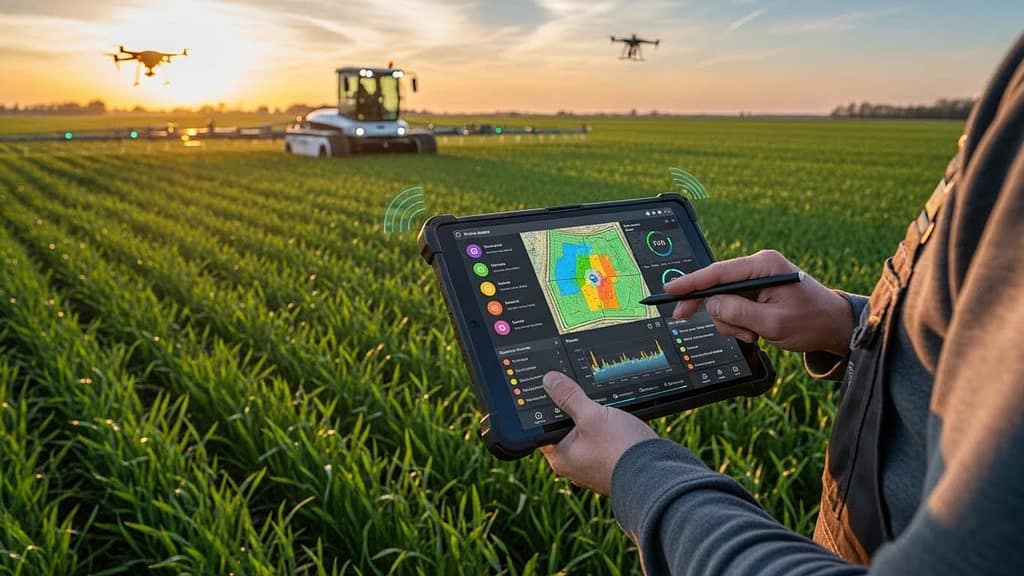
If you are exploring crop management automation tools, you are probably trying to do two things at once. You want to increase yields and quality, and you want to reduce the manual work and guesswork it takes to get there. Modern precision farming tools help you do exactly that, even if you are running a small or mid-sized agribusiness with a lean team.
At a high level, crop management automation tools use data and software to help you:
- See what is happening in your fields in real time
- Decide what to do next, based on conditions and goals
- Trigger or guide actions like irrigation, spraying, or scouting
Some tools focus on specific tasks, such as irrigation or pest control. Others are part of broader farm operation automation software that covers planning, inventory, and financials too. The right mix for you depends on your crop types, field layout, labor capacity, and budget.
In this guide you will see what crop management automation tools actually do in practice, and you will walk through five leading solution types that work well for smaller agribusinesses, not just mega-operations.
Key benefits for your agribusiness
Before you look at specific tools, it helps to be clear on the results you want. Crop management automation is not just about buying sensors or drones. It is about turning day-to-day decisions into repeatable, data-informed routines.
Here are the main benefits you can expect when you put the right tools in place.
More precise field decisions
Instead of treating every acre the same, you can manage zones within each field based on real conditions. Good automation tools help you:
- Apply water only where and when it is needed
- Adjust fertilizer rates by zone
- Target pest and disease issues before they spread
- Schedule field operations around soil moisture and weather
Precision like this is hard to achieve when you rely only on visual checks and paper records.
Lower input costs and waste
When your irrigation, fertilizer, and chemical applications are based on data, you typically:
- Use fewer inputs for the same or better yield
- Reduce rework caused by over or under application
- Avoid spraying or irrigating in unfavorable conditions
That means less waste, lower costs per acre, and a clearer view of your margins.
Better yield quality and consistency
Crop management automation tools help you catch problems earlier and respond faster. Over time that leads to:
- More uniform growth across your blocks or fields
- Fewer yield losses from disease, drought, or nutrient stress
- More predictable quality for buyers and processors
For contract growers and specialty crops, that consistency is often as valuable as total yield.
Less manual data collection and reporting
If you are still stitching together paper field logs, text messages, and spreadsheets, routine reporting can be painful. With connected tools and automated farm management software you can:
- Capture field activities automatically or with simple mobile entries
- Store data in a single place instead of across notebooks and folders
- Generate reports for buyers, auditors, or lenders without starting from scratch
You spend less time chasing information and more time running your operation.
What to look for in a crop automation tool
With many vendors in the precision farming space, it helps to have a simple checklist. As you evaluate crop management automation tools, focus on the basics first, not on every advanced feature.
Fit with your crops and scale
Ask yourself:
- Is the tool designed for your crop types, such as row crops, orchards, vineyards, greenhouses, or mixed operations?
- Does pricing work for your acreage and budget, or is it aimed at very large enterprises only?
- Can you start small, for example with one block or pivot, and expand later?
A tool that fits your reality will be easier to adopt and easier to justify.
Data sources and connectivity
Automation is only as good as the data it uses. Look at:
- What kind of data the tool collects, for example soil moisture, weather, satellite imagery, equipment data, or manual scouting notes
- Whether it can work with existing sensors, stations, or machine consoles you already own
- How it handles poor connectivity in the field, for example offline mobile apps that sync later
You want a system that gives you consistent, trustworthy information with minimal extra work.
Ease of use in the field
If your crew will not use an app or dashboard, it does not matter how powerful it is. Prioritize:
- Simple mobile interfaces that work on standard smartphones
- Clear maps and alerts rather than dense data tables
- Workflows that match how you already plan, scout, and schedule
You should be able to train a field supervisor or operator in hours, not weeks.
Integration with your other tools
Crop management rarely stands alone. It connects with:
- Inventory and purchasing
- Equipment scheduling and maintenance
- Labor planning and payroll
- Sales, contracts, and traceability
Integration with your broader agribusiness process automation software means fewer double entries and a more accurate picture of both agronomy and profitability.
Support, training, and service
Reliable support makes a big difference, especially in the first season. Look for:
- Onboarding help tailored to your crops and layout
- Clear documentation and short training videos
- Responsive support during critical periods like planting and harvest
You want a partner, not just a software login.
Tool type 1: Farm management software platforms
Farm management software (FMS) is often the backbone of crop management automation tools. These platforms bring your planning, field records, input usage, and sometimes financials into one central system.
What these platforms typically do
Most modern FMS platforms offer:
- Field mapping and block management
- Planting, spraying, and harvest records
- Input planning and inventory tracking
- Yield recording and basic analysis
- Mobile apps for recording activities from the field
Some go further into accounting, traceability, or integrations with equipment and sensors.
How they support crop management automation
An FMS platform often becomes the “brain” that connects your other tools:
- Pulling in data from sensors and weather sources
- Suggesting or scheduling field operations
- Sending tasks to workers via mobile checklists
- Logging completed activities automatically for audits
If you are just starting with automation, a solid FMS is often the most practical first step, since it organizes your information and workflows in one place.
When this tool type is a good fit
Consider starting with farm management software if you:
- Want to move away from paper and spreadsheets
- Need better visibility into which fields are profitable
- Have to meet documentation requirements for buyers, certifiers, or lenders
- Plan to add sensors, imagery, or smart equipment later
Once your records and plans are digitized, you can layer in more advanced crop management automation tools without rebuilding your entire system.
Tool type 2: Sensor based irrigation and soil monitoring
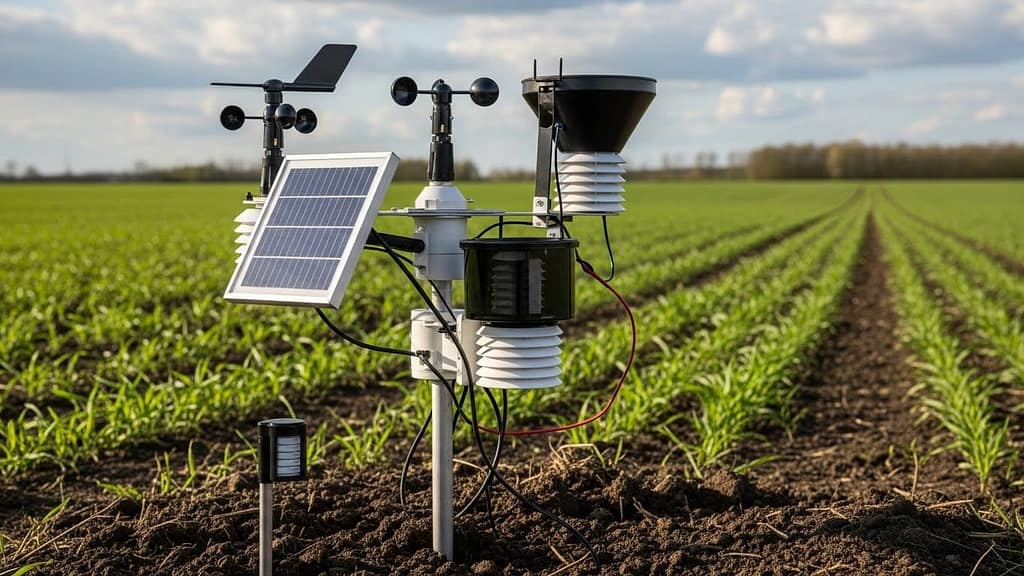
Water management is one of the most impactful areas to automate. Sensor based irrigation tools give you a clear picture of soil conditions and can trigger or guide irrigation events.
What these systems include
Typical components are:
- Soil moisture probes or tensiometers placed at multiple depths
- Weather stations or access to local weather data
- Gateways to transmit data to the cloud
- Software dashboards or mobile apps with alerts and recommendations
Some systems also connect directly to valves or pumps so you can automate irrigation schedules.
How they automate irrigation decisions
With sensor data feeding into your crop management automation tools, you can:
- Set thresholds for soil moisture in different growth stages
- Receive alerts when a zone is getting too dry or too saturated
- Schedule and adjust irrigation cycles based on actual crop needs
- Compare zones to see where you can safely reduce water
Over time, you build a record of how each field responds to irrigation, which improves your planning each season.
Benefits for small and mid-sized operations
Even a modest setup can deliver value if it is focused on your most water intensive or high value blocks. You can:
- Cut back on “just in case” irrigation
- Reduce energy costs tied to pumping
- Lower disease pressure linked to overwatering
- Support sustainability reporting with real data
For many growers, water and energy savings help these systems pay for themselves over time.
Tool type 3: Satellite and drone based crop monitoring
Imagery based tools help you see the status of your crops across all fields without walking every acre. They are especially useful if you manage multiple locations or have limited scouting staff.
How imagery tools typically work
There are two common approaches:
- Satellite imagery, which provides frequent, field level views across large areas
- Drone imagery, which offers higher resolution detail on demand
Crop monitoring platforms use this imagery to produce vegetation indices and field maps that highlight variability, stress, or growth differences.
Ways imagery supports crop management automation
Used correctly, imagery can help you:
- Prioritize scouting in zones that look stressed or unusual
- Identify early signs of nutrient deficiencies, disease, or irrigation issues
- Adjust variable rate applications for fertilizer or crop protection
- Monitor the progress of corrective actions over time
Rather than replacing boots on the ground, imagery helps you send people to the right places at the right times.
When this tool type makes sense
Imagery based crop management tools are especially valuable if you:
- Manage large or scattered fields
- Grow higher value crops where early issue detection pays off
- Use or plan to use variable rate application equipment
- Need visual documentation for buyers or partners
They work well alongside sensor data and farm management software, each filling a different piece of the decision making puzzle.
Tool type 4: Variable rate application and equipment control
Variable rate technology (VRT) and equipment control systems bring automation directly into your field operations. Instead of applying a constant rate across a field, you can adjust inputs based on maps and prescriptions.
Core components of VRT solutions
Common elements include:
- Controllers installed on spreaders, planters, or sprayers
- GPS guidance and rate control monitors in the cab
- Prescription maps generated from yield, soil, or imagery data
- Software to design and manage these prescriptions
Some systems are built into newer equipment, while others can be retrofitted to existing machines.
How VRT connects to your crop management tools
Your crop management automation tools can:
- Analyze yield, soil tests, and imagery to define management zones
- Generate prescription files for seed, fertilizer, or chemical rates
- Send these files to equipment consoles for field execution
- Pull back actual application data for analysis and compliance
Over time you build a feedback loop, where every season’s applications and results improve the next season’s plans.
Practical reasons to consider VRT
If you have significant variability in your soils, topography, or historical yields, VRT can help you:
- Reduce inputs in low response areas
- Increase inputs strategically in high potential zones
- Smooth out performance across the field
- Document exactly what was applied and where
These advantages become even more powerful when VRT is tied into your broader automated farm management software environment.
Tool type 5: Workflow, labor, and task automation
Not all crop management automation tools are about sensors and machines. Many of the biggest operational gains come from organizing people and daily work more efficiently.
What workflow automation looks like in the field
In a crop setting, workflow automation tools can help you:
- Turn crop plans into daily or weekly task lists
- Assign jobs like scouting, spraying, or harvesting to specific crews
- Track progress via check-ins instead of constant phone calls
- Capture completed work with photos, GPS, and notes
Most of this happens through simple mobile apps that your supervisors and workers can use in the field.
How this improves your crop decisions
Better workflow management supports crop management by:
- Reducing delays between problem detection and action
- Making sure required tasks, such as pest monitoring, are not missed
- Capturing structured observations that feed back into your records
- Showing you which fields or activities consume the most labor
As your operation grows, this kind of coordination becomes essential to maintain consistency.
Where to start with workflow automation
You do not need to automate every task at once. Many agribusinesses begin by:
- Digitizing spray and application records
- Creating standard task templates for key crop stages
- Rolling out mobile apps first to supervisors, then to wider crews
- Integrating task data with agribusiness process automation software for better reporting
Once you have reliable activity data, you can link it with sensor and imagery insights for a fuller view of field performance.
How to choose the right mix of tools
You rarely need every tool available on the market. A more effective approach is to build a simple roadmap that connects your current pain points to specific tool types.

Step 1: Map your biggest bottlenecks
Start by listing the areas where you feel the most pressure. For example:
- “We over irrigate because we do not have precise soil data.”
- “Scouting is inconsistent across fields.”
- “I cannot see input costs and yields together by field.”
- “Our spray records are scattered and incomplete.”
These statements will guide your tool priorities.
Step 2: Match bottlenecks to tool categories
You can use a broad mapping like this:
- Water management problems → sensor based irrigation tools
- Visibility and scouting gaps → satellite or drone monitoring
- Input efficiency and documentation → VRT and equipment control plus farm management software
- Coordination and record keeping → workflow and farm management platforms
Once you see the link, it becomes clearer which tools belong in your first phase.
Step 3: Start with a focused pilot
Rather than automating everything across your acreage, select:
- One or two representative fields or blocks
- A single tool category that addresses your top issue
- A clear success metric, such as “reduce irrigation water by X percent” or “eliminate missing spray records”
Run the pilot for a full cycle if possible. Use what you learn to adjust settings, workflows, and training.
Step 4: Integrate and expand gradually
After a successful pilot, you can:
- Add more fields or crops into the same tool
- Connect that tool with your core farm management or accounting system
- Introduce a second tool type that complements the first
For example, you might start with sensor based irrigation, then tie it into a farm management platform so that water usage and yield data sit together for analysis.
Building a more automated crop operation
Crop management automation tools are no longer reserved for the largest operations. With careful selection and a phased rollout, you can bring practical precision farming into a small or mid-sized agribusiness without overwhelming your team.
The key is to:
- Focus on the crop and business outcomes you care about most
- Choose tools that align with your scale, crops, and existing systems
- Start small, prove value, and then expand
- Keep ease of use and support at the top of your criteria
If you already use any form of farm operation automation software, your next step may be to connect it with one or two of the crop management automation tools described above. That way, each season’s data becomes a foundation for smarter decisions, more consistent yields, and a more resilient agribusiness.
John Beluca is a Solutions Architect and founder of Procedo, with 20+ years of experience building custom CRMs and internal tools that simplify business processes.
All author posts