What small farm automation software actually does
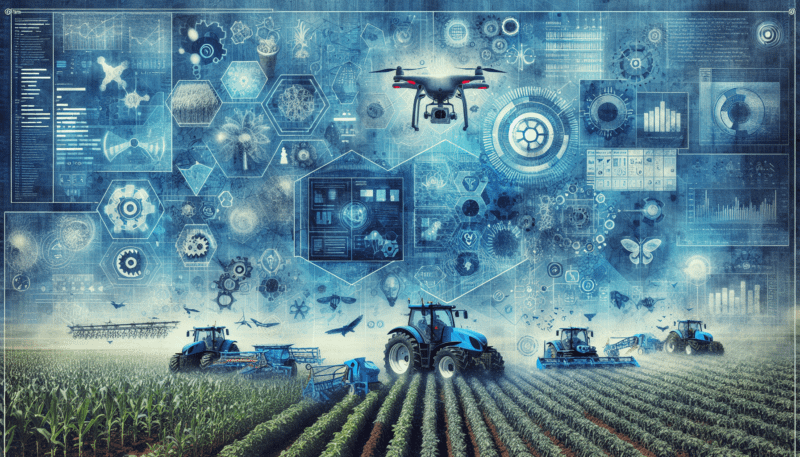
If you manage a small or mid-sized farm, you already know how many spinning plates you juggle each day. Small farm automation software pulls those tasks into one place and helps you automate the repetitive work, so you can focus on growing, selling, and planning.
At its core, small farm automation software:
- Tracks crops, livestock, equipment, and inventory in one system
- Automates routine tasks like record keeping, reminders, and reporting
- Uses data from IoT devices, GPS tools, and sensors to guide decisions
- Helps you control costs by applying inputs only where they are needed
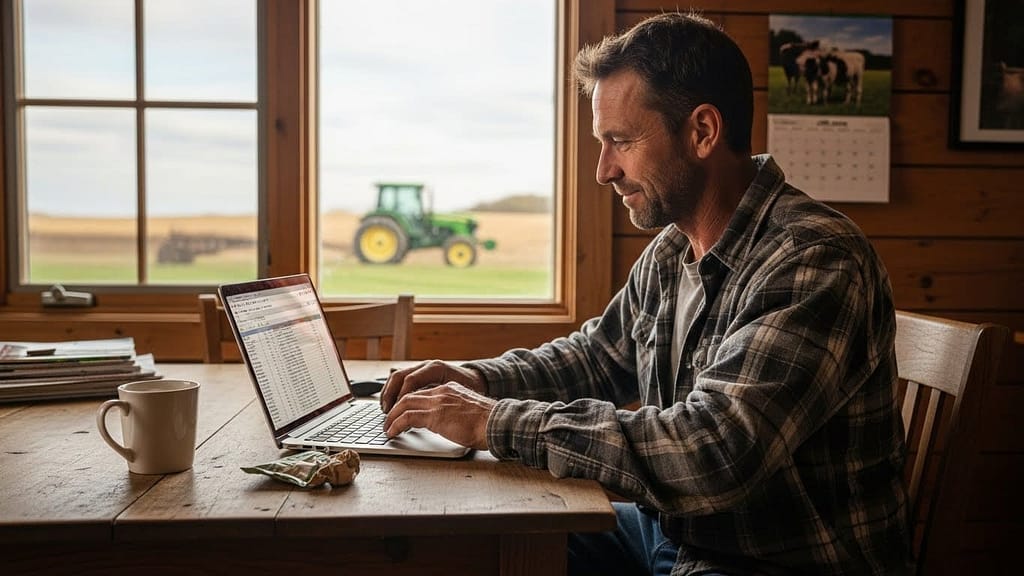
Used well, this type of automated farm management software becomes your digital farm office, field notebook, and assistant in one.
Key problems it helps you solve
Most small farms turn to automation software to deal with a few common pain points:
- Paper records scattered across clipboards and spreadsheets
- Guesswork around when to plant, spray, or irrigate
- Labor shortages during critical windows
- Rising input costs with little visibility into what actually pays off
- Compliance and certification paperwork that eats time
Small farm automation software brings structure, reminders, and data into these areas so you can run your operation more like a modern business without losing your farm’s character.
Core features you should look for
Not every tool will suit every farm, but most leading platforms share a core feature set that makes daily operations smoother.
Crop planning and monitoring
Good farm software should help you move from “what did we do last year” to “what will work best this year.”
Look for tools that support:
- Season planning and field plans
- Preloaded data for common crops
- Sowing, transplanting, and harvest logs
- Input tracking for fertilizers, pesticides, and amendments
- Yield tracking by field or bed
For example, some crop‑focused plans include soil health tracking, input management, and data for 200+ crop types starting around $29 per month, with advanced reporting available on higher tiers as of 2025.
Livestock and herd management
If you raise animals, livestock tools can automate much of your day‑to‑day record keeping.
Helpful capabilities include:
- Individual and group animal records
- Health and treatment logs
- Breeding and calving or lambing records
- Feed and weight tracking
- Pasture moves and grazing history
Platforms like Farmbrite offer livestock record keeping and health management for farms with a few hundred animals on entry plans, and scale past 5,000 animals on premium tiers as of 2025.
Inventory, equipment, and inputs
Keeping a handle on what you have on hand, what needs maintenance, and what you are spending can prevent wasted field time and emergency runs to town.
Look for:
- Seed and input inventory tracking
- Automated alerts when stock runs low
- Equipment logs and maintenance schedules
- Fuel and spare parts records
This kind of detail also supports traceability when buyers or certifiers ask how you managed a crop.
Financials and profitability insight
Small farms often operate on thin margins. Good software helps you see clearly which crops, animals, and channels actually earn money.
Common financial tools include:
- Basic accounting and expense tracking
- Profit and loss reports by crop, field, or enterprise
- Sales tracking across markets, CSAs, and direct sales
- Simple budgeting and cash‑flow views
Some suites, like Farmbrite and similar tools, position themselves as holistic farm management systems that combine accounting with operations to track profit from seed or birth to sale.
Task, labor, and workflow management
When you juggle multiple roles on the farm, it is easy for small but important tasks to fall through the cracks.
Labor and workflow tools often include:
- Task lists tied to fields, crops, or animals
- Recurring tasks, such as weekly irrigations or checks
- Employee timesheets and scheduling
- Mobile apps so workers can see tasks in the field
By treating your software as a “digital assistant,” one person can effectively manage agronomy, sales, and administration, which is especially helpful for small teams.
Data analytics and decision support
The real power of small farm automation software shows up when it turns raw data into useful recommendations.
Advanced platforms use AI and data analytics to:
- Analyze sensor and weather data
- Suggest optimal planting windows
- Recommend crop varieties for your conditions
- Flag inefficiencies and input overuse
Tools like the FJD Farm Management System integrate multiple IoT devices that monitor soil moisture, nutrients, and weather, then consolidate everything into one dashboard so you can optimize resource use and streamline operations.
How automated tools work on the ground
Automation can sound abstract. It helps to see how specific technologies support your daily work.
Auto-steer and field guidance
Auto-steering systems remove much of the guesswork from field operations.
- The FJD AT2 Auto-Steer System offers easy-to-install guidance that reduces overlapping passes, which cuts fuel and input use during planting or tillage.
- Precision spray systems like the FJD ATS Steering System use GPS to apply water, fertilizer, and pesticides only where they are needed, which reduces waste and cost.
These tools are part of a larger wave of agriculture business automation technology that helps you do more accurate work with the same machines you already own.
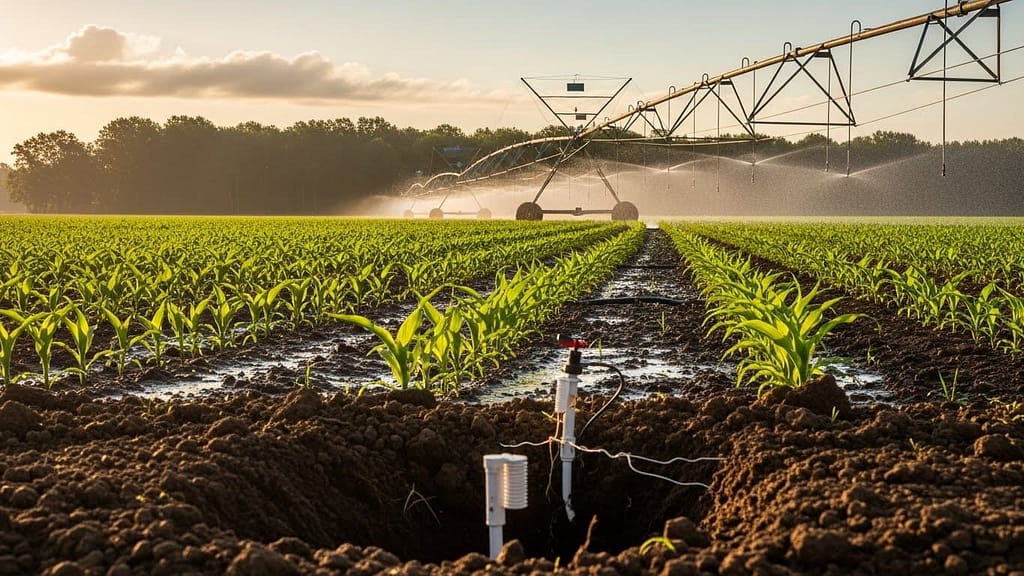
IoT sensors and automated irrigation
Sensors in the field can automatically track:
- Soil moisture and temperature
- Nutrient levels
- Microclimate conditions
Connected to your small farm automation software, these devices can trigger automated irrigation or alert you when specific thresholds are reached. This reduces manual checking and makes sure you are not under or over watering.
AI-driven planning and forecasting
AI analytics integrated into modern platforms go beyond simple logs. They can:
- Combine historical yield data with forecasted weather
- Highlight which fields are at higher risk from pests
- Suggest the best times to plant or harvest
The agricultural guidance market that includes these AI and IoT tools is projected to grow to $2.51 billion by 2025, which signals rapid adoption of smarter farming practices across the sector.
Benefits you can expect from automation
Software alone will not fix a poor season, but it can improve the way you respond to the conditions you face.
Better resource management
Precision agriculture technologies that include GPS tools and activity monitors can increase efficiency by letting you apply water, fertilizer, and pesticides precisely where they are needed. This can:
- Cut back over-application
- Reduce environmental impact
- Stretch your budget further
When your software integrates device data, you get a clearer picture of where resources actually go.
Increased productivity
Automating routine tasks frees up your time and your crew’s time.
Small farm management software can:
- Generate recurring tasks and field schedules
- Auto-fill certification or compliance forms from existing records
- Consolidate data that used to live in separate notebooks
Global adoption of farm management software is around 39 percent as of 2024, which shows that farms of all sizes are turning to digital tools to increase productivity.
Cost savings and clearer numbers
Once your records live in one place, it becomes much easier to see:
- The true cost of each crop or batch of animals
- Which fields deliver the best return
- Where labor costs are creeping up
This supports data-driven decisions instead of gut feelings. When you see exact input costs, yields, and sales per product, it is easier to stop doing what does not pay and double down on what does.
Compliance, traceability, and certifications
For many farms, certifications and traceability are no longer optional. Buyers, regulators, and customers expect to know:
- What inputs you used
- When you planted, sprayed, and harvested
- How livestock were treated and fed
Farm management software makes it much easier to generate the records that organic certifiers and food safety auditors need. Tools like COG-Pro, for example, provide read-only access to certification bodies so they can review your records directly.
Common challenges and how to handle them
If you are hesitant to adopt small farm automation software, you are not alone. Many small producers run into similar obstacles.
Upfront cost and subscription fatigue
Monthly or yearly fees can feel like a big step, especially if you already operate on thin margins.
To manage cost:
- Start with a single area, like crop planning or livestock records, instead of buying a full suite on day one
- Use free trials to see what actually fits your workflow
- Run a simple calculation: If software saves you just a few hours each week or reduces one input by a few percent, does it pay for itself
There are also low-cost and free options. LiteFarm, for instance, is a free open‑source management tool developed by the Centre for Sustainable Food Systems at the University of British Columbia that targets diversified sustainable farms as of 2023.
Learning curve and complexity
One major barrier to adoption is the complexity of some tools. The GAO has noted that training needs and technology complexity make it hard for smaller farms to adopt precision agriculture.
To make the transition easier:
- Pick software designed specifically for small and mid‑size farms, not repurposed enterprise tools
- Start with basic features, like field records and input logs, and add automation slowly
- Take advantage of training resources, onboarding calls, and support staff
Vendors like FJDynamics and Farmbrite emphasize training and usability for smaller operators, which can help flatten the learning curve.
Connectivity and infrastructure
Rural internet access can be unreliable, which is a real problem for cloud tools.
Solutions include:
- Choosing platforms that offer offline access and sync later
- Relying on mobile apps that can store data when you are in the field
- Using local devices for high‑frequency sensor data and syncing summary records when you reconnect
Some tools, such as VeggieTables, are explicitly designed to work offline for field use, then update records once you are back online.
Examples of leading tools and what they offer
You have many options. Here is a quick guide to some of the platforms mentioned in current research so you can see how they differ.
Farmbrite
Farmbrite positions itself as a holistic, cloud-based management platform for small to mid-sized farms.
Key points as of 2025:
- Plans start at $29 per month for smaller livestock or crop operations
- The Complete platform, which combines crops and livestock with inventory and order management, starts around $59 per month and scales up to support 5,000+ animals for $109 per month
- All plans include unlimited acreage, farm mapping, digital records, equipment maintenance logs, accounting features, production performance tracking, and US-based support
- Available on Android, iOS, and desktop, with a 14‑day free trial
Farmbrite makes sense if you want one system that can grow with you from small diversified operations to more complex multi‑enterprise farms.
LiteFarm
LiteFarm is tailored to sustainable and diversified farms that want a free and open‑source solution.
As of 2023 it offers:
- Field record keeping focused on ecological practices
- A user experience designed in collaboration with farmers
- Better organization of accumulated farm information
LiteFarm can be a strong choice if your budget is tight, you prioritize sustainability, and you are comfortable with a community‑driven open source tool.
COG-Pro and VeggieTables
If you manage or seek organic certification, specialized tools can simplify compliance:
- COG-Pro is a cloud-based organic farm record keeping system that tracks seeds, field plans, fertility, harvest, and livestock. It lets certification bodies access your records via read-only passwords. Pricing generally ranges from $79 to $159 per year depending on the modules you choose.
- VeggieTables build on that type of functionality by adding labor and expense tracking and support for multiple users. It works offline and has been offered for free with a promo code through Young Agrarians, although support can be limited.
These tools are worth exploring if certification documentation is your main headache.
Tend
Tend focuses on crop planning, sales, and daily operations in one platform.
As of 2023 it provides:
- Crop planning templates
- Automatically generated tasks based on your plan
- Record keeping for production and sales
- Simple projections and reports
Tend is priced around $39 per month or $399 per year, and can be a good fit if your main focus is intensive vegetable or specialty crop production.
Planfix as a flexible CRM and workflow tool
While not built solely for agriculture, Planfix is recommended as a CRM and operations solution for small farms because of its flexibility.
According to a 2026 review:
- Planfix adapts to virtually any workflow, so you can manage field work, farm stand sales, agritourism, and online orders in one system
- It works well when a single person has to handle agronomy, sales, and administration
- It scales with business complexity and offers a bridge between simple free tools and expensive enterprise systems
- It also includes enterprise‑grade data security features like audit trails, which are rare in basic apps
Planfix can work alongside a dedicated farm management platform, or as a bridge tool while your operation grows.
How precision agriculture and policy shape your options
Your choice of small farm automation software does not exist in a vacuum. Broader trends in technology and policy impact what is available and how quickly tools improve.
Precision agriculture adoption
As of 2023, only about 27 percent of U.S. farms and ranches use precision practices such as variable rate fertilizer and yield monitoring. That is relatively low but rising. At the same time, the overall adoption rate for farm management software globally sits around 39 percent in 2024.
The gap suggests that many farms, especially smaller ones, are just starting to connect basic digital record keeping with more advanced automation and sensor data. This is an opportunity for you to gain an early advantage in your local market.
Public investment and support
From 2017 to 2021, the U.S. Department of Agriculture and the National Science Foundation jointly provided nearly $200 million for precision agriculture research and development. This funding supports work on AI, sensors, robotic machinery, and integrated farm platforms.
The U.S. Government Accountability Office has also outlined policy options that could:
- Reduce barriers to access, especially cost and training
- Expand infrastructure, including rural connectivity
- Encourage wider use of precision agriculture technologies
Keeping an eye on these developments can help you tap into grants, pilot programs, or extension support that makes adoption easier.
How to choose the right software for your farm
With many tools on the market, it helps to work through a clear decision process so you select a platform that fits your farm rather than forcing your farm to fit the software.
1. Map your current workflows
Start by sketching how you work today:
- How do you plan crops or grazing
- Where do you store records now
- How do you assign and track tasks
- Which reports or numbers do you wish you had
This shows you where automation would bring the most value, and which features matter most.
2. Prioritize must‑have features
Based on your map, decide which capabilities are non‑negotiable:
- For crop farms, that might be field plans, input tracking, and yield analysis
- For livestock, it might be health records, breeding history, and grazing management
- For mixed operations, you may prioritize a platform that handles both, like Farmbrite or a combined system
Use these priorities to narrow your shortlist before you worry about extra features.
3. Check usability and training
A powerful tool that no one wants to use will not help you.
Ask yourself:
- Does the interface feel clear within a few minutes
- Can your team understand it without hours of training
- Are there videos, docs, and real support people to help
Pick the option your least tech‑comfortable co‑worker can handle, not just the one that impresses you.
4. Consider compatibility and integrations
If you already use GPS equipment, IoT sensors, or guidance systems, make sure your software can either integrate with them or coexist without conflict.
For example:
- If you use FJD auto-steer, confirm whether your chosen farm management platform can import its data
- If you run an existing accounting tool, decide whether you will integrate it or gradually move finances into the farm software
Compatibility matters more as your operation grows and you add more automation in agribusiness operations.
5. Evaluate pricing and scalability
Finally, compare cost against value.
Look at:
- Entry-level pricing versus what you actually need
- Limits on acreage, animals, or users
- Price jumps as you scale operations or add modules
A tool that starts slightly higher but includes everything you need can be cheaper than a low entry price with many paid add-ons later.
A simple starting plan for your first season with software
If you decide to implement small farm automation software, you do not need to digitize everything in one go. Here is a straightforward plan you can follow.
Step 1: Digitize one enterprise
Pick the area that will deliver the fastest payoff. For many farms, that is:
- One main cash crop
- Your primary livestock group
- A popular market or CSA program
Move that enterprise’s records into the software and commit to keeping them up to date for one full season.
Step 2: Set up basic automation
Next, add simple automations:
- Recurring tasks for planting, scouting, spraying, or moves
- Maintenance reminders for critical equipment
- Alerts when inventory drops below a set threshold
Keep automation light at first, just enough to reduce mental load.
Step 3: Review reports monthly
Set a recurring time each month to:
- Review yields, costs, and labor by crop or group
- Compare actuals to your plan
- Adjust the next month’s tasks and inputs based on what you learn
This habit is where the value of the software really appears.
Step 4: Expand to other areas
Once one enterprise is running smoothly, add:
- Additional crops or herds
- Sales channels and basic accounting
- Deeper integrations with sensors or auto-steer tools
Grow your use of automation at a pace that feels manageable.
Bringing it all together
Small farm automation software is no longer just for large industrial operations. With cloud tools, mobile apps, and scalable pricing, you can use the same ideas on a modest acreage or family farm.
By starting with your real problems, choosing a platform that fits how you work, and adding automation gradually, you can:
- Save time on repetitive tasks
- Use water, feed, and inputs more precisely
- Understand your numbers clearly
- Build a more resilient, profitable operation
You do not have to adopt every advanced feature or device at once. Pick one area to automate this season, treat your software as a helper rather than a burden, and build from there. Over time, you will turn scattered notes and guesswork into a clear, data‑driven view of your farm that supports the way you already like to work.
John Beluca is a Solutions Architect and founder of Procedo, with 20+ years of experience building custom CRMs and internal tools that simplify business processes.
All author posts